CPS Salesforce Tools is a security-hardened Chrome extension that rebuilds the slowest parts of Salesforce administration: change sets, deployments, data work, and API exploration. One audited, company-owned extension that replaces a drawer full of untrusted third-party plugins, distributed and managed through its own enterprise portal.
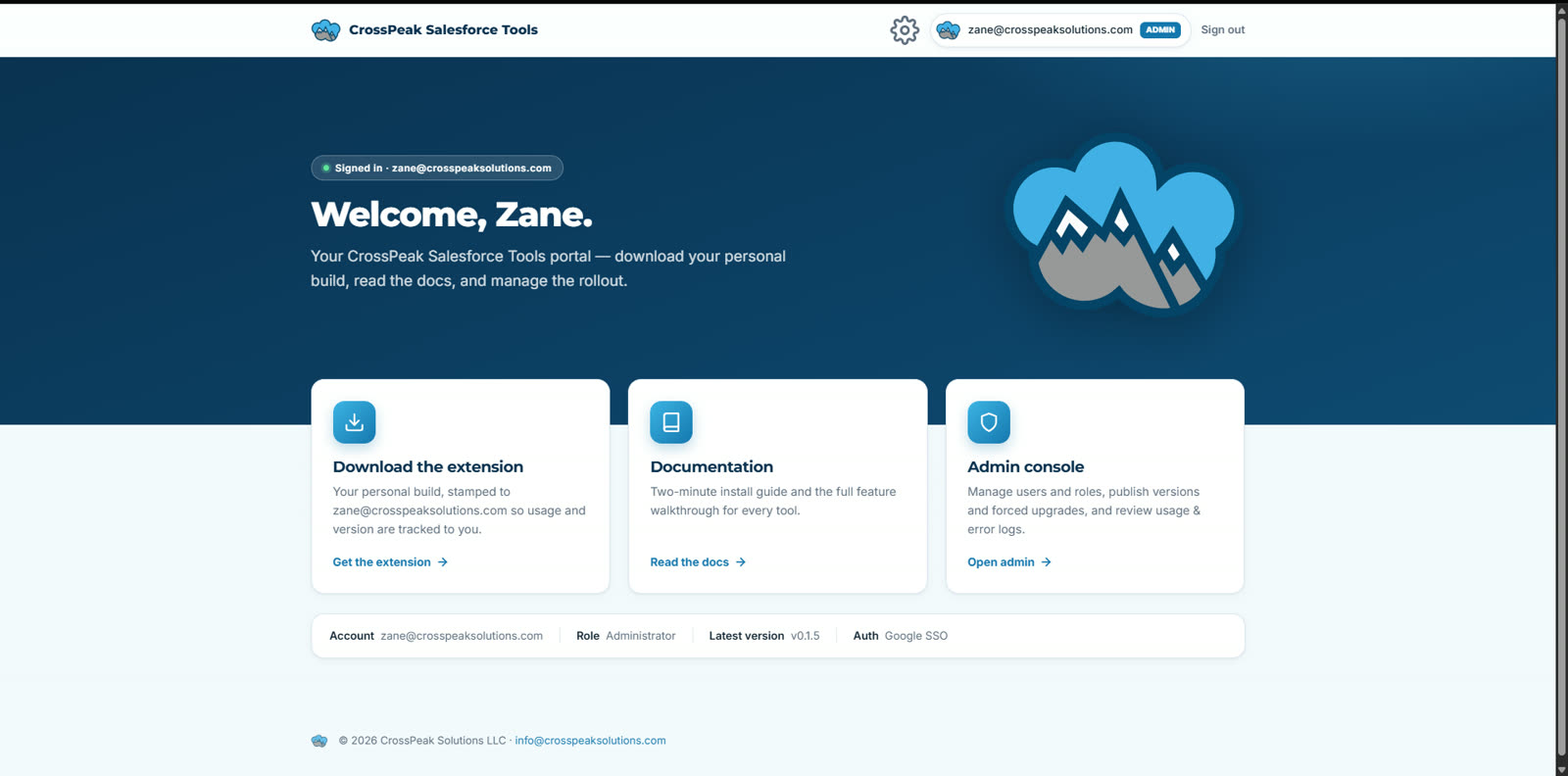
A real screen from the production portal at chrome.crosspeaksolutions.com - one stop for the extension download, docs, and rollout management.
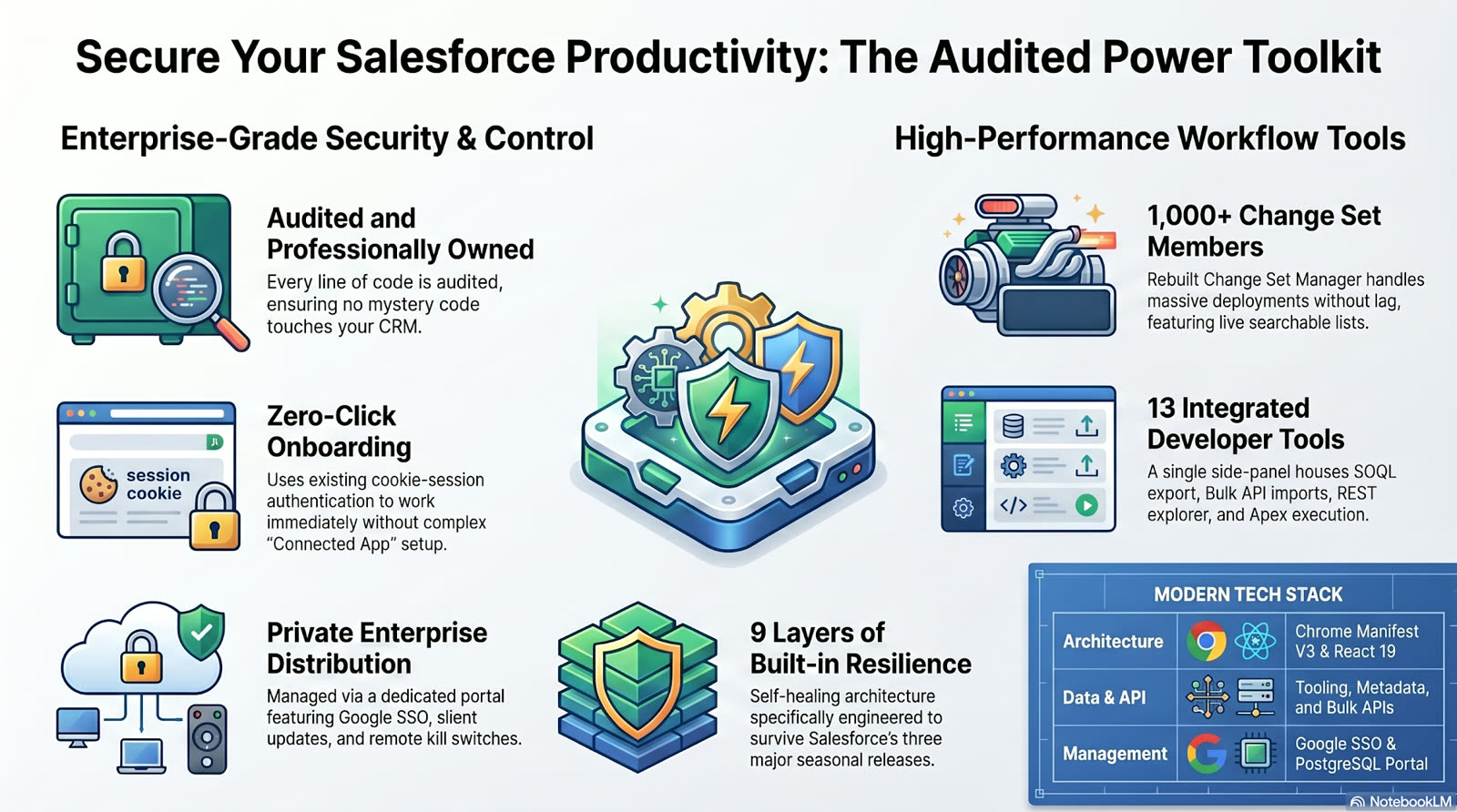
Salesforce admins routinely install a dozen-plus third-party extensions of unknown provenance, each with full access to production data. CPS Salesforce Tools closes that gap: one professionally engineered, security-audited extension your organization owns and controls, with the features teams actually rely on, plus capabilities the free tools never had.
No mystery code touching your CRM. The full source is owned and audited, every API call runs directly between the browser and your org, and nothing is ever routed through a third-party proxy.
Cookie-session authentication means it works the moment it's installed, using your existing Salesforce login. No Connected App ceremony, with OAuth 2.0 + PKCE available for locked-down enterprises.
Delivered through a dedicated portal at chrome.crosspeaksolutions.com: Google SSO, per-user stamped builds, silent auto-updates, version gating, usage analytics, and a remote kill switch. No Chrome Web Store review cycles.
The change set module replaces the native outbound change set experience with a fast, searchable, deployment-grade workflow injected right into Salesforce.
A draggable side panel (Alt+Shift+S) puts an entire admin and developer workbench inside every Salesforce page, plus a quick-launch popup with org info, limits, an ID converter, and setup shortcuts.
Click to view full size
Salesforce ships three major releases a year, and browser tools silently break with each one. CPS Salesforce Tools was engineered for that reality: contract-validated API calls, pre-flight self-tests before destructive actions, six-hour scheduled health checks, seasonal release detection, fleet-wide telemetry, and a remote kill switch that lets us disable a failing feature across every install within hours, then gracefully degrade to a supported fallback instead of failing silently.
Per-endpoint health lights in settings, scheduled self-checks, and automatic re-validation when a Salesforce seasonal release lands.
Feature flags, forced-upgrade rules, and a kill switch managed from the admin console. Fix the fleet without waiting on a store review.
Diagnostics carry error messages, versions, and endpoint names only. Salesforce record data, field values, and query text never leave the browser.
The portal behind chrome.crosspeaksolutions.com is its own showcase: a server-rendered, Google-SSO-gated web app with an admin console that manages the entire lifecycle of the extension fleet.
CrossPeak Solutions can deploy CPS Salesforce Tools for your organization, brand and tailor it to your workflows, or build a completely custom browser extension and distribution platform around whatever your team needs. We completely build, deploy, and maintain every solution we deliver: the extension, the portal, the updates, and the support. This project is proof of what we can build for you.